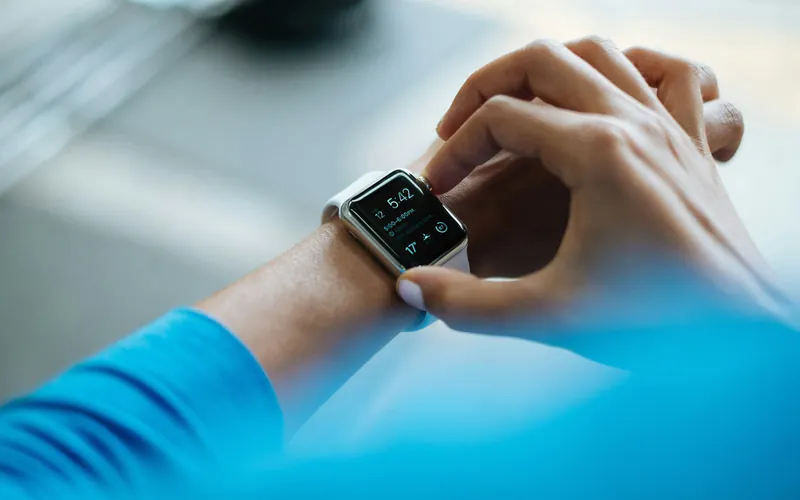
TakeCare is built to answer one question: why do some days feel so much harder than others? It gets there by lining up your meals, medications, sleep, activity and symptoms against each other. The people who get answers fastest aren't the ones who log every crumb. They're the ones who set the app up well, let their watch do the heavy lifting, and rate how they feel every day.
Here's how to set TakeCare up and use it so your everyday logs turn into patterns you can actually act on.
1. Give TakeCare the full picture on day one
The short setup asks about your goals, your conditions and history, your medications, your allergies and a few lifestyle details. Everything is optional, but each answer makes the rest of the app more personal: nutrition limits that fit your conditions, reports that know which medicines you take, and checks that know what you're allergic to.
Take an extra minute on your medications. Add the dose and the schedule for each one, and include the ones you only take when you need them, like a migraine or pain medicine. That's what lets TakeCare tell a missed dose from a late one, and see whether your as-needed medicine is helping.
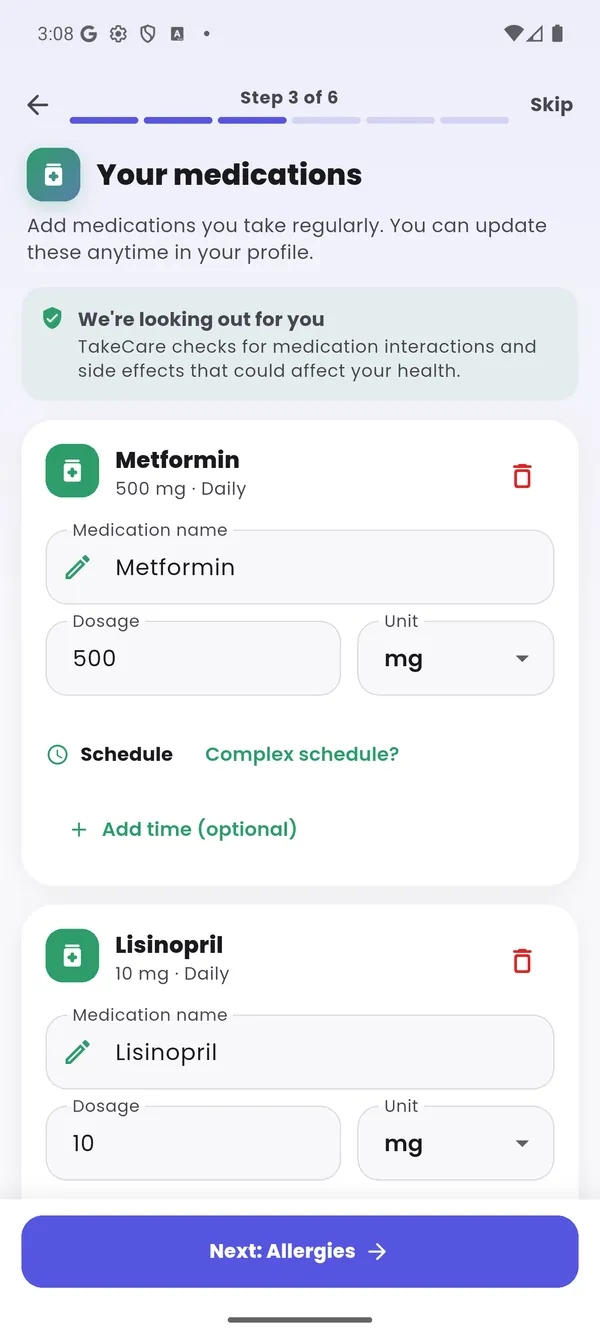
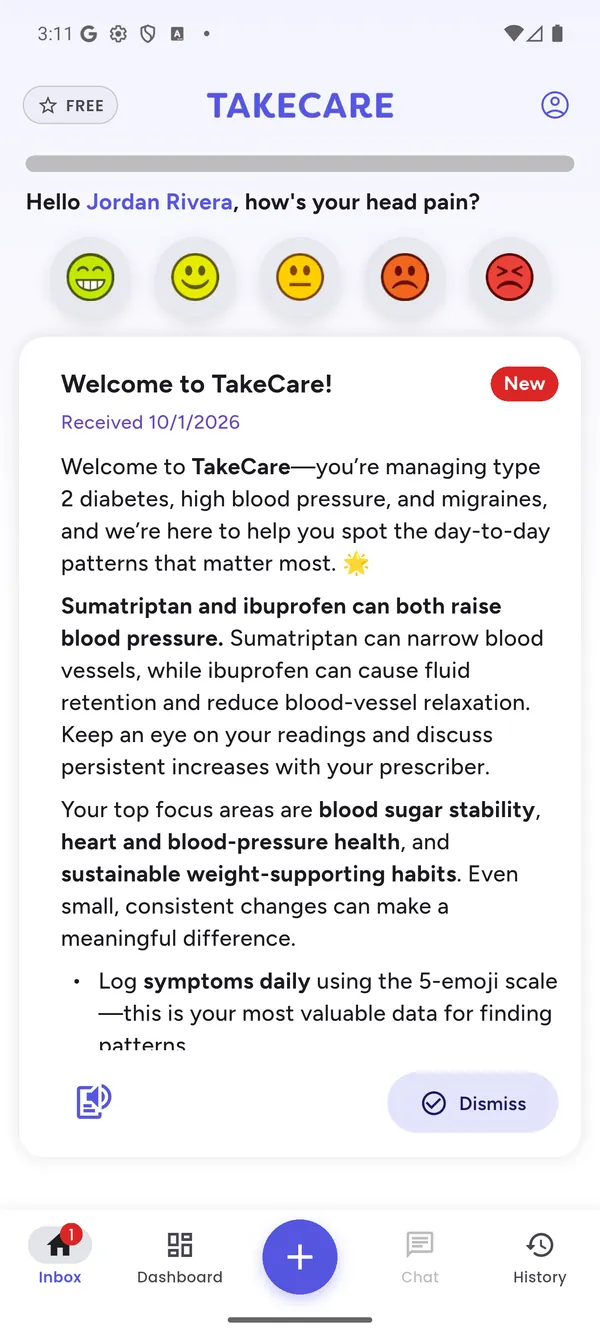
Your medications, then the welcome check that reviews them against each other and your conditions (shown with a demo profile).
As soon as setup is done, TakeCare reviews everything together and leaves a plain-language summary on your home screen: medications that interact, side effects that could make one of your conditions harder to manage, and anything that clashes with your allergies. It's free for everyone, and it's a good list to bring to your doctor or pharmacist.
2. Connect your watch and let it log for you
If you wear a smartwatch or fitness tracker, connect it during setup or later from your profile. TakeCare reads from Apple Health on iPhone and Health Connect on Android, so it works with Apple Watch, Samsung Galaxy Watch, Google Pixel Watch, Fitbit, Garmin, Oura, WHOOP, Withings, Polar and most other devices that share with them.
Once it's connected, these fill in on their own:
- Sleep, including deep, REM and light sleep, time awake, bedtime and wake-up
- Steps and how active you were through the day
- Workouts, with their type and length
That's three whole categories you never have to remember to log, and they're more accurate than writing them down from memory. No watch? That's fine. You can tap "Going to bed" at night or add a past night by hand, and log a workout in a few taps.
3. Rate how you feel three times a day
If you only build one habit, make it this one. A symptom rating takes about two seconds: tap the face that fits, from Excellent to Terrible, and add a note if you like.
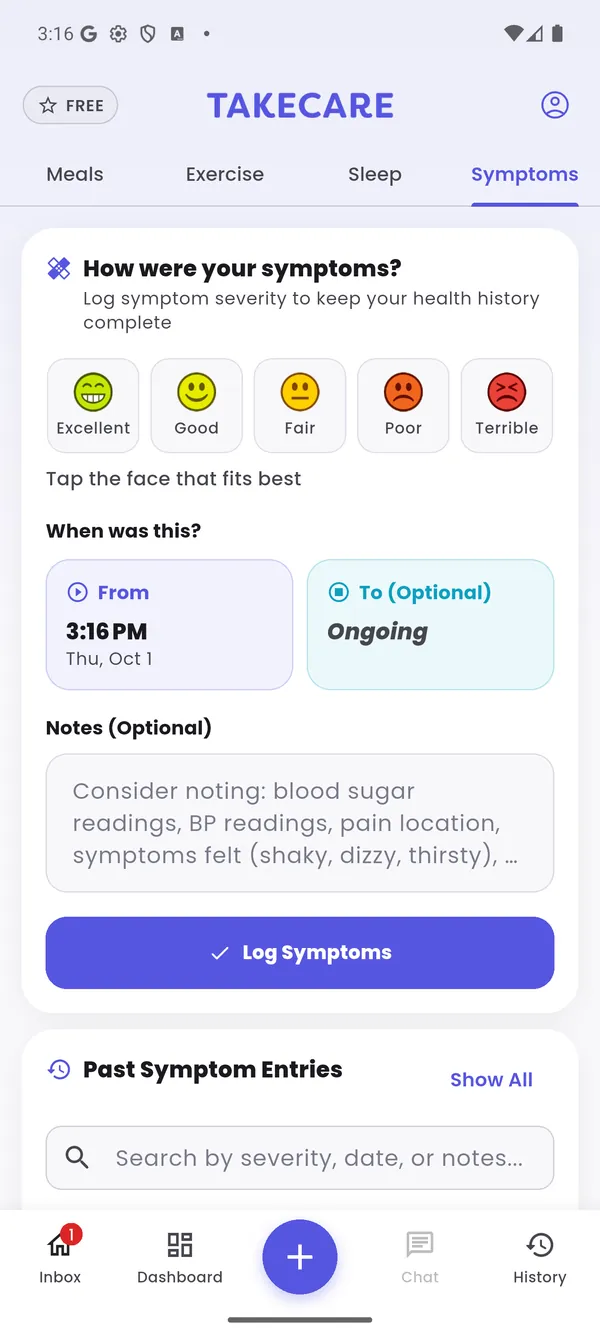
Five faces, an optional note, done.
Aim for three a day:
- Morning: how you slept and how you woke up
- Afternoon: after your meals and morning doses
- Evening: how the whole day landed
Add an extra rating whenever something changes, like a headache starting or a flare easing after a walk. Every rating is a timestamp that TakeCare lines everything else up against. Without ratings, it knows what you did but not how it made you feel.
4. Log meals the fast way
Log meals as you eat them, while you still remember what was on the plate. You can type or say what you had, scan a barcode on packaged food, re-add your usual breakfast with Quick Add, or, with Pro, snap a photo and let TakeCare identify the food. Drinks count too: water, coffee and tea all add up toward your hydration goal.
Be reasonably accurate rather than perfect. If you log "chicken salad" but actually had a Caesar salad with croutons and parmesan, you've hidden the bread and the cheese, which might be exactly what's bothering you. You don't need to weigh anything. An honest estimate is far better than a wild guess or a skipped meal.
5. Take your medications from the app
Turn on reminders for each medication and tap "taken" when you take it. It's quicker than it sounds, and it builds a dose-by-dose record that no memory can match. Log as-needed doses when you take them, too.
Why it matters: the Medications hub can then show which times of day your doses tend to slip, whether you feel different on days you miss a dose, whether you feel better a few hours after an as-needed medicine, and how you felt before and after starting something new.
6. Check your hubs once a week
Your dashboard shows today at a glance. Tap any card to open its hub, pick the dates you want to look at, and you'll see the summary, patterns and full history behind it.
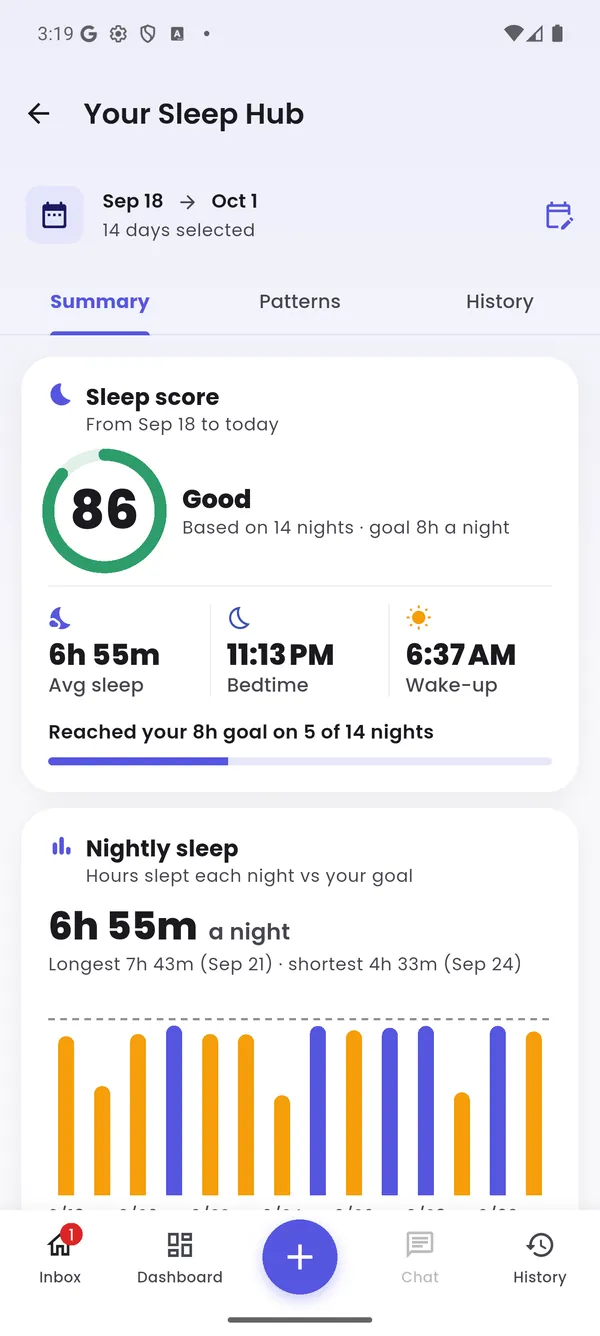
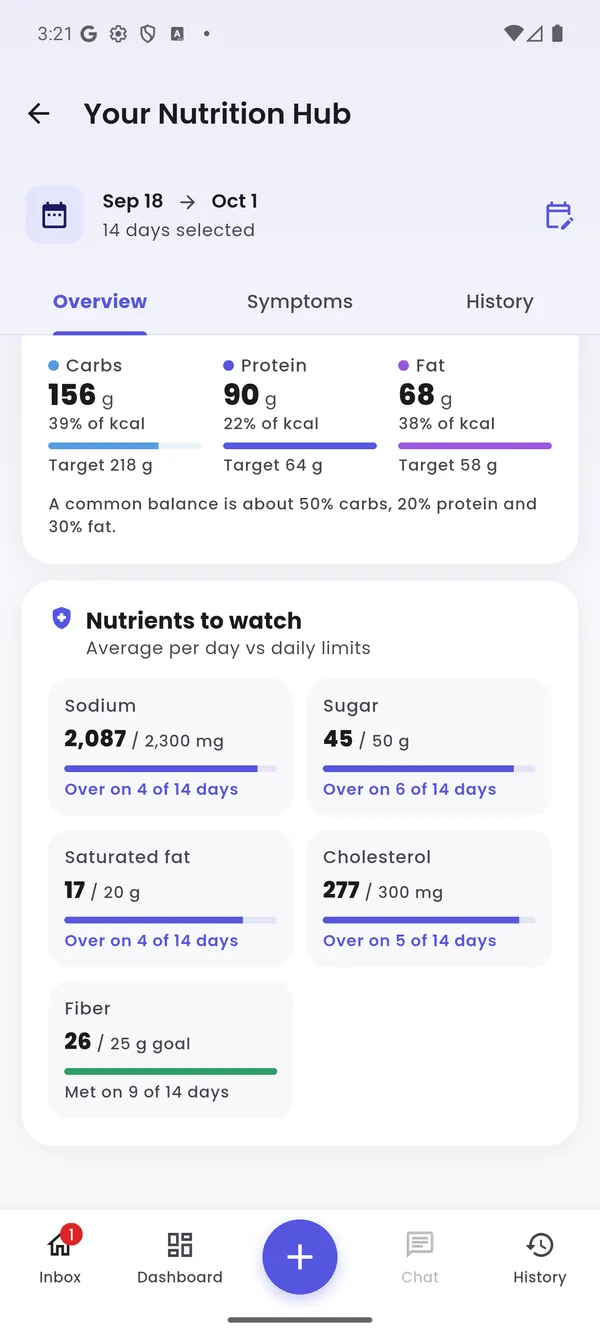
The Sleep and Nutrition hubs, two of the places to look each week.
- Symptoms: your average day by day, how you're trending, and whether mornings, afternoons or evenings are hardest
- Nutrition: calories against your goal, the nutrients to watch for your conditions, and which foods line up with better or worse days
- Sleep: a sleep score, your stages compared with healthy ranges, your schedule, and your best and toughest nights
- Medications: how consistently you take each medicine, missed doses, your streak and every as-needed dose
- Fitness: steps, workouts, active days and weekly minutes against health guidelines
- Hydration: fluids against your goal, caffeine, alcohol, and how they line up with your sleep
A weekly look is enough. You're not checking whether you did everything right; you're looking for what stands out.
7. Let Carey do the digging
Carey is TakeCare's AI health assistant. Carey reads what you've logged along with your conditions, medications and allergies, so the answers are about you, not people in general. With TakeCare Pro you get:
- A Daily Report each evening with the day's key finding, what went well and one thing to try tomorrow
- The Root Cause Explorer, which looks across weeks of meals, sleep, doses and activity to find what tends to come before your bad days, then suggests small experiments
- Ask Carey, a chat for questions like "Why have my afternoons been rough this week?" or "What could I eat tonight that's lower in sodium?"
- Meal checks that rate every meal against your conditions, medications and allergies, with a healthier swap
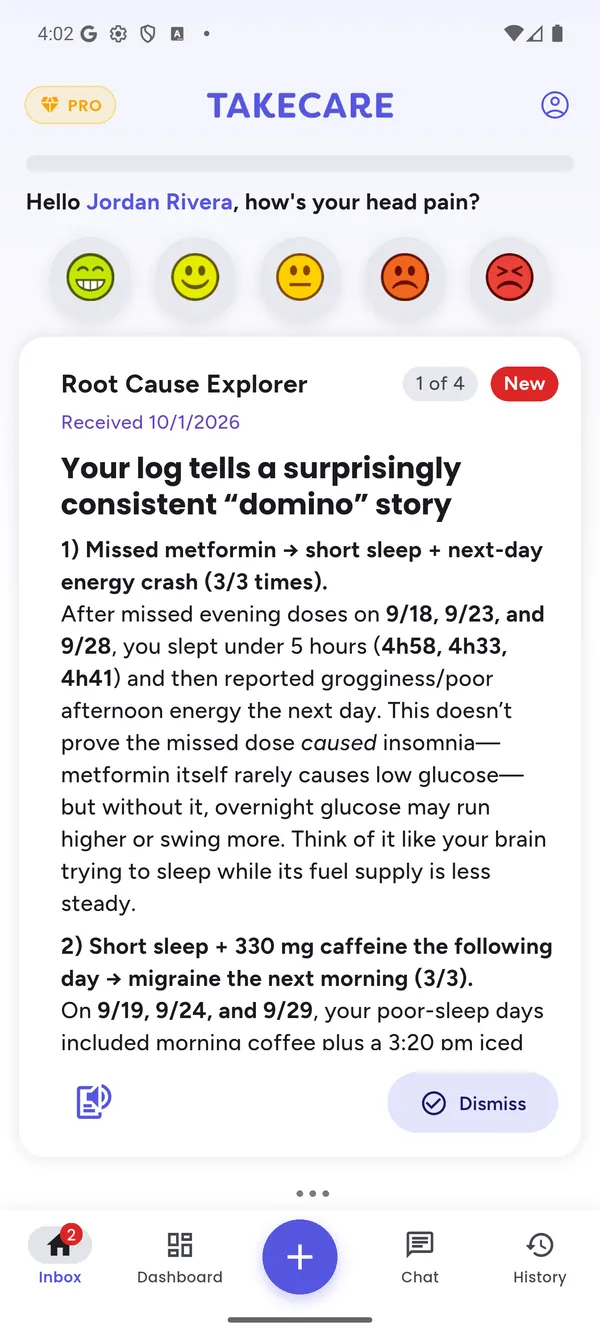
A Root Cause Explorer report, from a demo profile.
8. Bring your data to your appointments
Your logs are most useful when your care team can see them. If your doctor, dietitian or coach uses the TakeCare clinician portal, they'll give you a connect code. Enter it in the app, choose exactly what they can see, and change or stop sharing whenever you like. It's free, even without Pro. Our guide to sharing your data with your doctor walks through it step by step.
If your clinician doesn't use TakeCare, open History, pick a date range and export a PDF report (Pro) to bring with you.
Give it a few weeks
Patterns need repeats. One bad night before a migraine could be a coincidence; the same thing five times is worth talking about. Expect the first useful patterns after a couple of weeks of steady logging, and clearer ones as the weeks add up. Delayed effects and combinations, like a short night plus an extra coffee, take the longest to show.
The bottom line
Getting the most out of TakeCare comes down to a few small habits:
- Set it up fully, with your conditions, medications and allergies.
- Connect your watch so sleep, steps and workouts log themselves.
- Rate how you feel morning, afternoon and evening, especially on hard days.
- Log meals and doses as they happen.
- Look at your hubs weekly, and share what you find with your care team.
None of it takes more than a few minutes a day. Done consistently, it builds a picture of your health that no appointment, and no memory, can match.